CSS How To
Welcome to CSS How To! My name is Nate Griffin and I love web coding.
I have built csshowto.com because... well, I guess that the name gives it all away, right? I want to teach people how to utilize CSS to create modern, beautiful websites. You won't find super advanced stuff on this site, but I have included lots of links to third-party tips, articles and guides.
This site includes several sections:
- "News" shows the latest and greatest developments in the CSS world.
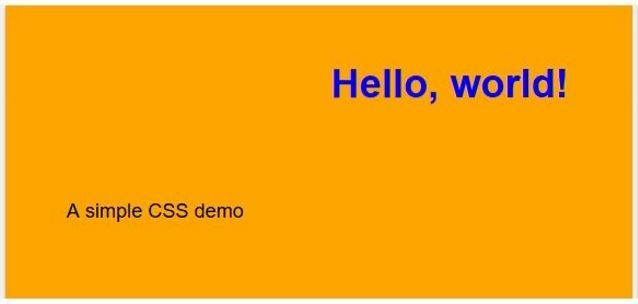
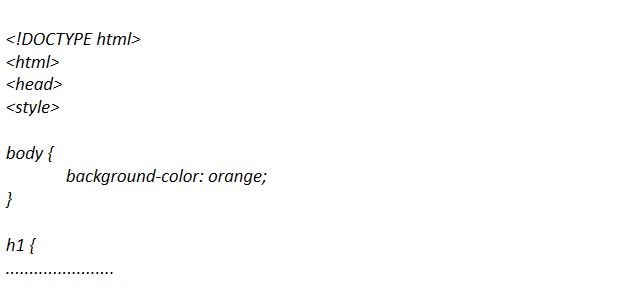
- "Examples" gives you simple, and yet fully functional CSS examples. The entire source code (or a link to it) is always included.
- "Tips" highlights third-party CSS resources that will help you speed up any web development project.
- Finally, "Editors" is a curated list of 100% free tools that are perfect for beginners to CSS editing.
So, enjoy your stay here! Check out the resources below; click the "More" link for each category to be sent to its dedicated page. Nate out!
CSS News
What’s New In CSS?
Rachel Andrew, editor-in-chief of Smashing Magazine, attended the CSS Working Group meeting at W3C Technical Plenary/Advisory Committee Meetings Week. Various changes were made to specifications, and Rachel highlights the key elements: CSS scrollbars, aspect ratio units, logical properties and values, and more.
Working with negative grid lines
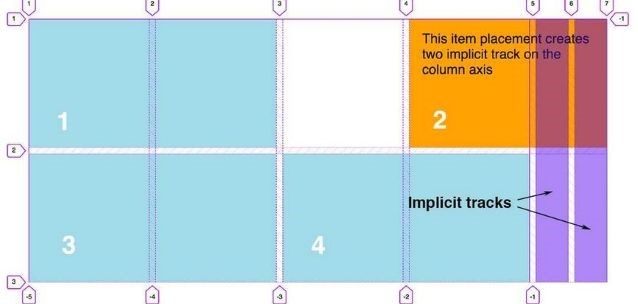
Did you know that if you create a grid using CSS Grid and you use a line number that's got a negative value, you can place items relative to the end of the grid? Michelle Barker has created a detailed tutorial which highlights the advantages that arises from using negative line numbers in CSS Grid.
CSS Examples
CSS Editors
Notepad++
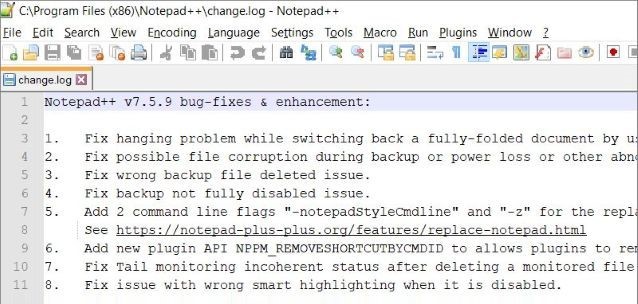
Notepad++ is a free source code editor that runs under Windows and is loaded with features. It supports syntax highlighting and folding, auto-completion, and has a fully customizable GUI.
PSPad
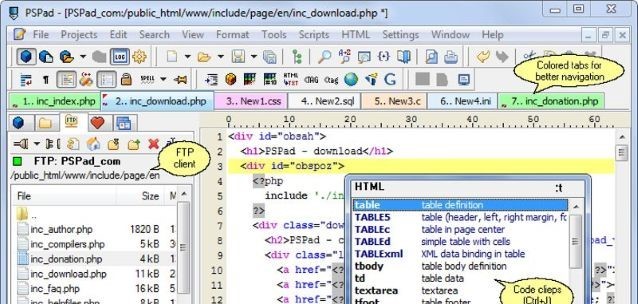
PSPad supports dozens of programming languages such as C++, CSS, HTML, Java, JavaScript, Perl, PHP, Python, VBScript, Visual Basic, and more. It has lots of code formatting functions and can even be used to build website pages.